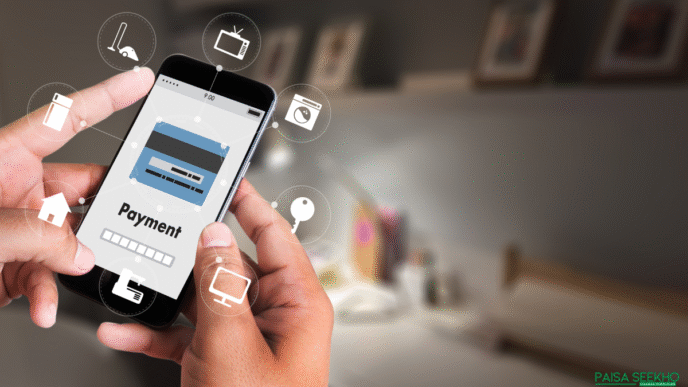
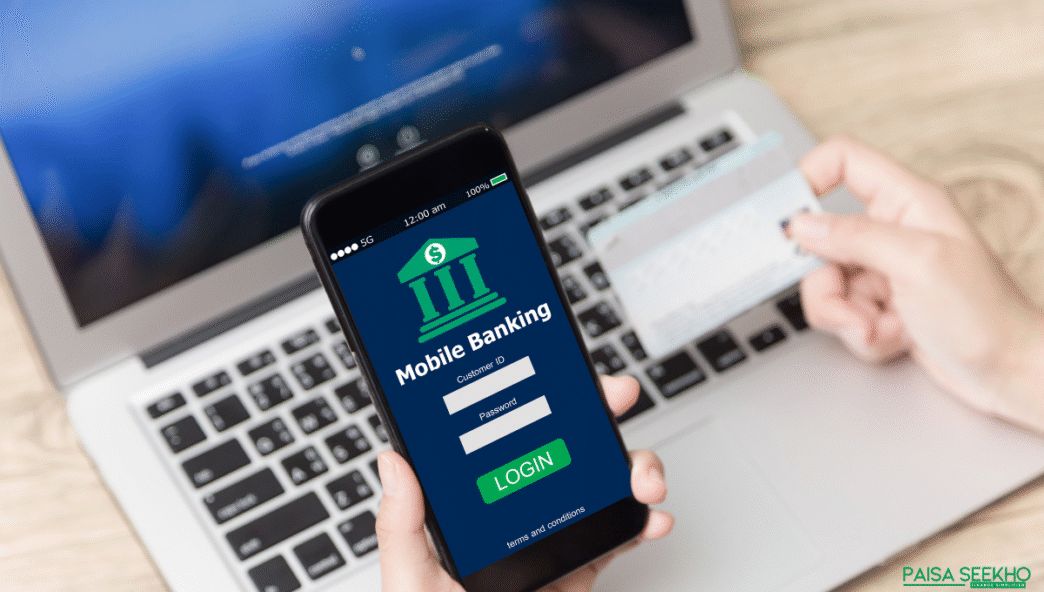
Gone are the days when you had to stand in long bank queues just to check your balance or transfer money. Today, with just a few taps on your phone, you can handle almost all your banking needs, whether it’s paying bills, sending money to your parents, or checking if your salary has come in. This convenience is called mobile banking.
For young Indians juggling jobs, side hustles, and family responsibilities, mobile banking has become more than just a service, it’s a lifeline. It saves time, makes money management easier, and keeps your financial life literally at your fingertips.
What is mobile banking?
Mobile banking simply means using your smartphone or tablet to access your bank account and carry out financial transactions through a banking app or SMS/USSD services.
In simple terms, it’s like carrying your entire bank branch in your pocket. You can:
- Check account balances
- Transfer money instantly (IMPS, NEFT, UPI)
- Pay electricity, water, and mobile bills
- Apply for loans or credit cards
- Even invest in fixed deposits or mutual funds (depending on the bank)
The Reserve Bank of India (RBI) has been actively promoting mobile banking because it brings financial inclusion, helping people in Tier-2 and Tier-3 cities access formal banking without needing to visit a physical branch.
👉 In short: Mobile banking = bank + phone = convenience + control.
How does mobile banking work?
At its core, mobile banking works through secure mobile apps or SMS/USSD services provided by your bank. Here’s a simple breakdown:
- Download the Bank’s Mobile App
Most banks in India (SBI YONO, HDFC NetBanking app, ICICI iMobile Pay, etc.) have official apps.
You log in using your customer ID, mobile number, or biometrics (like fingerprint/Face ID).
- Authenticate Your Identity
Banks use OTPs, PINs, and biometric verification to ensure only you can access your account.
- Connect with Payment Systems
Mobile banking is integrated with IMPS, NEFT, RTGS, and UPI for seamless transfers.
For example, sending ₹500 to a friend through UPI is mobile banking in action.
- Transactions in Real Time
The app communicates with the bank’s server instantly. Within seconds, your money is transferred or your bill is paid.
👉 Think of it like ordering food on Zomato, just that instead of food, you’re managing your own money.
What are the features of mobile banking?
Mobile banking goes way beyond just balance checks. Here are the key features most banks in India offer:
- Fund Transfers
Send money via IMPS (instant), NEFT (scheduled), RTGS (large transfers), or UPI.
- Bill & Utility Payments
Pay electricity, water, broadband, mobile recharges, all directly from the app.
- Account Management
Check balances, download account statements, block/unblock debit cards, and request cheque books.
- Savings & Investments
Open a fixed deposit (FD), recurring deposit (RD), or invest in mutual funds (depending on your bank).
- Loan & Credit Card Services
Apply for personal loans, pay EMIs, or manage your credit card bills without visiting a branch.
- 24/7 Availability
Unlike bank branches, mobile banking never closes. Midnight balance check? No problem.
👉 Bottom line: Mobile banking is like having a mini financial control centre in your pocket, accessible anytime, anywhere.
What are the advantages of mobile banking?
Mobile banking is popular for a reason, it makes life so much easier, especially for young professionals and families managing busy schedules. Here are the main benefits:
- Convenience at Your Fingertips
No more rushing to the bank during office hours. You can transfer money, pay bills, or open deposits anytime, anywhere.
- Time-Saving
Transactions that earlier took hours (like NEFT transfers or cheque deposits) can now be done in seconds.
- 24/7 Banking
Unlike physical branches, mobile banking never closes. Midnight salary check? Done. Sunday bill payment? Easy.
- Easy Access to Financial Products
Many banks let you open FDs, apply for loans, or even start mutual fund SIPs directly from their app.
- Reduced Cash Dependency
With UPI, QR codes, and digital wallets linked to mobile banking, you don’t need to carry large amounts of cash.
- Financial Inclusion
For people in Tier-2 and Tier-3 cities, mobile banking brings formal banking services to their doorstep without long travel or waiting times.
👉 In short: Mobile banking = faster, safer, and smarter money management.
What are the disadvantages of mobile banking?
Of course, like every technology, mobile banking has its downsides too. Knowing these will help you use it safely and smartly:
- Security Risks
If your phone is lost, hacked, or infected with malware, your bank account details could be at risk.
Using public Wi-Fi for transactions is especially unsafe.
- Technical Issues
App crashes, server downtime, or network failures can delay urgent transactions.
- Digital Literacy Gap
Not everyone is comfortable using apps, especially the elderly or people new to smartphones.
- Hidden Charges
Some services (like fund transfers or SMS alerts) may carry small fees that customers often overlook.
- Dependence on Internet/Smartphone
Without a stable internet connection or a smartphone, mobile banking isn’t accessible.
👉 Bottom line: Mobile banking is convenient, but you need to use it wisely, always enable two-factor authentication, avoid suspicious links, and keep your app updated.
Is mobile banking safe in India?
Safety is the biggest concern when it comes to money, and rightly so. The good news is that mobile banking in India is generally safe, thanks to strong regulations by the Reserve Bank of India (RBI) and advanced security features used by banks.
Here’s how banks keep your money secure:
- Two-Factor Authentication (2FA)
Every transaction requires both your login credentials and a one-time password (OTP) sent to your mobile.
- Biometric Security
Many apps allow fingerprint or Face ID logins, reducing the risk of password theft.
- End-to-End Encryption
Your data is encrypted so hackers can’t intercept your account details.
- Instant Alerts
Banks send SMS/email notifications for every transaction, so you can quickly spot unauthorised activity.
- RBI Guidelines
Banks must follow strict RBI rules on digital banking security, which adds an extra layer of protection.
⚠️ But remember: safety is also in your hands.
- Avoid using public Wi-Fi for transactions.
- Never share OTPs or PINs with anyone.
- Regularly update your mobile banking app.
👉 In short: Mobile banking is safe if you follow basic precautions.
What are the types of mobile banking services?
Mobile banking isn’t just one service, it’s a bundle of services that cover almost every financial need. Broadly, there are three main types:
- Mobile Banking via SMS/USSD
- For feature phones (non-smartphones).
- Example: Dialling *99# on any phone to access balance, mini statements, or money transfer using UPI.
- Useful for rural and semi-urban areas without internet access.
- For feature phones (non-smartphones).
- Mobile Banking via Mobile Browser/Internet
- Accessing your bank’s website through your phone browser.
- Limited features but handy if you don’t want to download the app.
- Accessing your bank’s website through your phone browser.
- Mobile Banking via Mobile Apps
- The most common and feature-rich option.
- Bank apps offer fund transfers, investments, card management, EMI payments, and even personalised offers.
- Examples: SBI YONO, HDFC MobileBanking, ICICI iMobile Pay, Kotak 811.
- The most common and feature-rich option.
👉 Together, these services ensure that everyone, from smartphone-savvy youngsters to rural families with basic phones, can access banking with ease.
What is the difference between mobile banking and internet banking?
Both help you manage money digitally, but they’re not the same.
1) Access channel
- Mobile banking: Primarily through your bank’s smartphone app; also includes USSD/SMS‑based options and UPI. Many apps support biometrics and device‑binding for security. RBI also mandates card tokenisation on consumer devices.
- Internet banking (netbanking): Website access via a browser on laptop/desktop (or mobile browser). Usually password + OTP based, with broad feature coverage.
2) Typical features
- Mobile banking: Quick tasks, UPI transfers/QR payments, card controls, bill pays, mini‑statements, instant FD/RD, and app‑native alerts. Newer rails like UPI‑ATM cash withdrawal and offline UPI (UPI Lite X) are app‑first.
- Internet banking: Full‑fat workflows, detailed statements, complex service requests, bulk/payee management, large RTGS/NEFT setups (though many apps now match these).
3) Connectivity
- Mobile banking: Works online; increasingly supports limited offline small‑value payments via UPI Lite X (₹500 per transaction; updated limits for UPI Lite also notified). USSD/IVR via UPI 123PAY supports feature phones without internet.
- Internet banking: Requires stable internet and a browser.
4) Security
- Mobile banking: Biometrics, device binding, in‑app notifications, tokenised cards (RBI).
- Internet banking: Strong credentials + OTP/AFA; session controls; soft‑tokens in some banks.
Quick takeaway:
If you want speed + UPI + on‑the‑go, use mobile banking. If you need heavy statements/configurations, internet banking still shines, though the gap is shrinking fast.
What is the future of mobile banking in India?
Short answer: smarter, safer, and more inclusive. Here’s what’s coming (and already rolling out):
1) Offline & low‑data payments become mainstream
- UPI Lite X enables offline small‑value tap‑and‑pay using your UPI Lite wallet (₹500 per transaction limit; with revised UPI Lite limits notified). Great for spotty networks in Tier‑2/3 towns.
- UPI 123PAY keeps growing for feature phones via IVR, missed‑call and sound‑based tech, true financial inclusion without internet.
2) Credit goes “UPI‑native”
- Pre‑sanctioned credit lines on UPI are live via NPCI circulars, letting banks offer small credit directly through UPI handles. Expect micro‑credit/BNPL‑like flows inside your banking app.
3) Cash without cards from the banking app
- UPI‑ATM (ICCW) allows cardless cash withdrawal (currently up to ₹10,000 per transaction) using your UPI app, useful when you forgot your wallet.
4) CBDC (Digital Rupee) experiments inside apps
- RBI’s e₹ (Digital Rupee) retail pilot is ongoing. As pilots expand, banks may surface CBDC wallets within mobile apps for select use‑cases and offline trials.
5) Open finance via Account Aggregators (AA)
- With your consent, Account Aggregator pipes let apps fetch/share your financial data securely, powering instant loans, PFM dashboards, and tailored products; adoption has surged in the last year.
6) Safer by design
- RBI tokenisation rules (no card storage by merchants; AFA even for tokenised cards) reduce fraud. Expect wider device tokenisation and biometric checks across flows.
7) Cross‑border reach
- UPI linkages (e.g., with Singapore’s PayNow) are expanding, enabling simpler remittances from within bank apps. More corridors are being added.
What this means for you:
Mobile banking will feel more universal (works even offline/without data), credit‑aware (UPI credit lines), cash‑optional (UPI‑ATM), and privacy‑first (tokenisation + consented data flows), all inside the same app you already use.
How can you use mobile banking safely?
Even though RBI and banks use strong security measures, your habits decide how safe your mobile banking really is. Here’s a simple checklist:
- Download only official apps
Always install the bank’s verified app from Google Play Store or Apple App Store. Avoid third-party APKs.
- Enable two-factor authentication (2FA)
Use OTPs, PINs, or biometrics (fingerprint/Face ID) for every login and transaction.
- Update apps and phone regularly
Updates often include important security patches. Don’t ignore them.
- Avoid public Wi-Fi for transactions
Hackers can intercept your data on unsecured networks. Stick to mobile data or private Wi-Fi.
- Keep OTPs and PINs private
Never share them, even if someone claims to be from the bank. Banks never ask for OTPs.
- Set transaction limits
Most apps allow you to set daily/transaction caps. This minimizes damage in case of fraud.
- Check alerts instantly
Always read SMS or app alerts for transactions. If you spot anything suspicious, block your card/app immediately.
👉 Rule of thumb: Treat your mobile banking PIN like the key to your locker, guard it with your life.
How to choose the best mobile banking app in India?
Not all banking apps are created equal. If you’re wondering “Kaunsa app best hai?”, here are factors to check before relying on one:
- Ease of Use
Simple interface, clear menus, and smooth navigation. You shouldn’t need a manual to transfer ₹500.
- Security Features
Look for biometric login, device binding, tokenisation support, and strong encryption.
- UPI Integration
A good mobile banking app should support UPI with QR payments, UPI Lite, and cardless withdrawals (UPI-ATM).
- Full-Service Options
Beyond fund transfers, the app should let you open deposits, apply for loans, manage credit cards, and invest.
- Speed & Reliability
Apps that frequently crash or lag can be frustrating. Choose banks known for stable digital platforms.
- Customer Support Access
In-app chatbots or quick links to helplines make problem-solving easier.
- Compatibility with Account Aggregator (AA)
Apps that support AA can give you a consolidated financial view and faster loan approvals.
👉 Example: SBI YONO, ICICI iMobile Pay, HDFC NetBanking app, and Kotak 811 are among India’s most feature-rich mobile banking apps. Choose the one that matches your banking needs and lifestyle.
Conclusion
Mobile banking has transformed the way Indians handle money. From checking your balance at midnight to paying your parents’ electricity bill in another city, everything is now possible with just a few taps.
It isn’t just about convenience, it’s about financial empowerment. For people in Tier-2 and Tier-3 cities, mobile banking has opened doors to formal banking without the need to travel or wait in queues. With features like UPI, IMPS, bill payments, and even investment options, mobile banking apps have become a financial control centre in your pocket.
But remember: with convenience comes responsibility. Stay alert, follow safety practices, and choose your banking app wisely. The future of mobile banking in India looks even brighter, with UPI-ATM withdrawals, offline UPI, and the Digital Rupee already on the horizon.
👉 Bottom line: Mobile banking is no longer optional, it’s the backbone of modern money management.
FAQs on Mobile Banking
1. What is the difference between mobile banking and UPI?
Mobile banking is the broader service offered by banks via apps, SMS, or USSD for all kinds of transactions. UPI (Unified Payments Interface) is one feature within mobile banking that enables instant money transfers between bank accounts.
2. Do I need internet access for mobile banking?
For app-based services, yes, you need internet. But India also offers *USSD (99#) and UPI 123PAY options that allow limited mobile banking on feature phones without internet.
3. Can I use mobile banking on two devices?
Most banks allow only one “registered” device at a time for security. If you log in on a new device, the old one may get deactivated. Always check your bank’s policy.
4. Are mobile banking transactions free?
Basic services like balance enquiry, fund transfers via UPI, and bill payments are usually free. However, some NEFT/RTGS transactions or SMS alerts may carry nominal charges.
5. What happens if my mobile banking app stops working?
You can still use netbanking via a browser, USSD codes, or visit your bank branch/ATM. Apps sometimes face downtime due to server issues, but transactions are usually processed once systems are back.
6. Can I apply for loans using mobile banking?
Yes. Many banks let you apply for personal loans, credit cards, or pre-approved offers directly through their mobile banking apps.
7. Is mobile banking available 24/7?
Yes, most mobile banking services are available round the clock. However, certain services like NEFT work only during banking hours, though IMPS and UPI are 24/7.
8. What should I do if I lose my phone with mobile banking installed?
Immediately call your bank to block access, de-register your device, and reset passwords. You should also block your SIM and re-install apps on your new phone securely.
9. Which banks in India have the best mobile banking apps?
Popular ones include SBI YONO, HDFC MobileBanking, ICICI iMobile Pay, Kotak 811, and Axis Bank Mobile App. Most major banks now offer full-featured apps.
10. Can mobile banking help in financial inclusion?
Yes. Mobile banking brings formal banking services to rural and semi-urban areas through USSD, UPI 123PAY, and simple apps, helping people who otherwise might not have easy access to banks.