

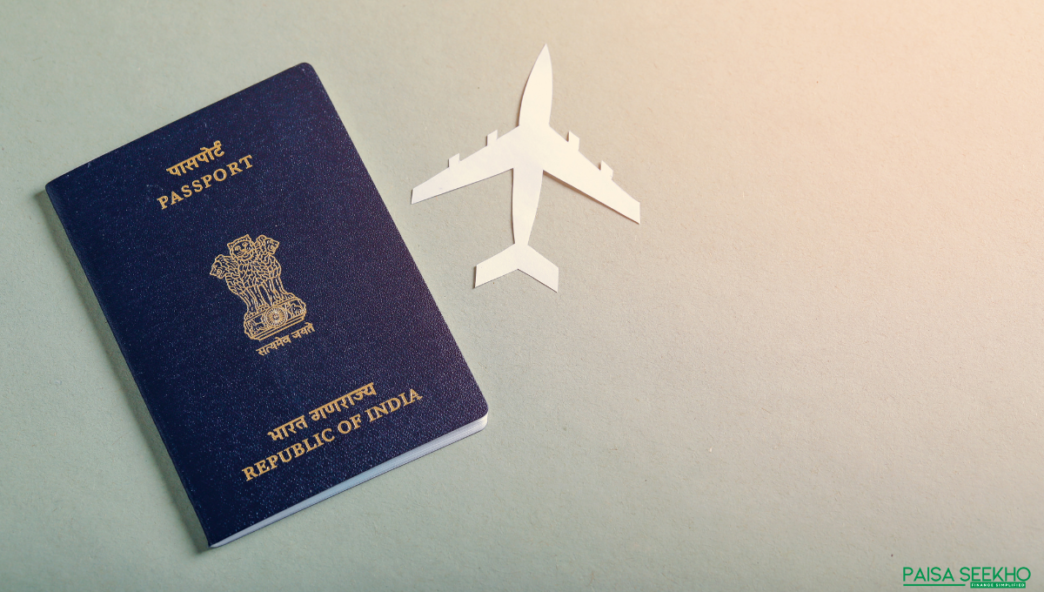
Managing passport-related appointments in India can seem overwhelming, but the process has been simplified significantly through the Passport Seva Online Portal. Rescheduling a passport appointment, whether due to unforeseen circumstances or the need for additional preparation, is now straightforward and efficient. This guide will take you through the process of how to reschedule Indian passport appointment step-by-step.
How to Book a Passport Appointment Online?
Before understanding the rescheduling process, it’s essential to know how to book a passport appointment online. The process involves the following steps:
- Visit the Passport Seva Online Portal
Head to www.passportindia.gov.in, the official platform for passport-related services in India. - Register and Log In
If you’re a first-time user, click on “Register Now” and fill in the registration details. If you already have an account, log in using your credentials. - Fill in the Application Form
Click on “Apply for Fresh Passport/Re-issue of Passport” and complete the application form with accurate details based on your documents. - Pay the Application Fee
Once the form is filled, proceed to pay the applicable fee through credit/debit cards, net banking, or other supported payment methods. - Schedule the Appointment
After payment, you will be shown available time slots. Select a date and time that works for you, and confirm the appointment. You’ll receive an email and SMS confirmation with the appointment details.
How to Reschedule a Passport Appointment Online?
Plans can change unexpectedly, and if you need to reschedule your appointment, the Passport Seva Online Portal makes it easy. Follow these steps:
- Log in to Your Account
Visit the Passport Seva Online Portal and log in with your registered credentials. - Go to ‘View Saved/Submitted Applications’
On your dashboard, click on the “View Saved/Submitted Applications” tab. This will display all your submitted applications. - Select the Application
Identify the application for which you need to reschedule the appointment. Click on the “Schedule Appointment” link beside it. - Choose a New Slot
The system will redirect you to the Appointment Availability page. Select a new date and time slot from the available options. - Confirm the Reschedule
Once you’ve selected the new slot, confirm your changes. You will receive an updated email and SMS with the new appointment details.
Note:
- You can reschedule your passport appointment up to two times within a year of the initial booking date.
- Ensure that you reschedule at least two days before the originally scheduled date to avoid issues.
How to Check Your Passport Appointment Date Online?
Keeping track of your passport appointment date is crucial to avoid confusion. Here’s how to check it online:
- Log in to Your Account
Access your Passport Seva Online Portal account. - Find ‘Appointment Status’
Navigate to the “Appointment Status” section on the dashboard. - Enter Your ARN (Application Reference Number)
Provide your ARN, which you can find in the confirmation email or SMS received during your booking. - View Appointment Details
Once you enter the ARN, the system will display the details of your appointment, including the date, time, and location. - Save the Details
You can choose to download or print the appointment details for your reference.
How to Download Your Passport Appointment Receipt?
The appointment receipt is crucial for attending your appointment. Follow these steps to download it:
- Log In to the Portal
Access the Passport Seva Online Portal and log in. - Go to Appointment Status
Find the “Appointment Status” section. - Enter Your ARN
Input your Application Reference Number to access the details of your appointment. - Download the Receipt
Click on the Download Receipt option. The receipt will be saved as a PDF file on your device. - Print a Copy
It’s always recommended to carry a printed copy of the receipt when visiting the Passport Seva Kendra (PSK).
How to Reschedule Indian Passport Appointment for Renewal?
If your passport is due for renewal and you need to change your appointment, the process is similar to booking or rescheduling a fresh passport appointment. Here’s how:
- Visit the Passport Seva Portal
Go to the official Passport Seva Online Portal and log in. - Select the Renewal Option
Choose “Re-issue of Passport” and complete the application form. - Pay the Renewal Fee
Make the payment online using the available methods. - Schedule the Appointment
Once the payment is successful, you can select an appointment slot for your renewal. - Reschedule if Necessary
If you need to change the date or time, log in, navigate to your submitted application, and follow the steps for rescheduling as outlined earlier.
Key Points to Remember
- Rescheduling Limit: You can reschedule your passport appointment twice within one year of the original booking.
- No Additional Fee: There are no extra charges for rescheduling your appointment.
- Timely Changes: Ensure you reschedule at least two days before the original appointment date.
- Appointment Confirmation: After rescheduling, check your email or SMS for confirmation of the new appointment.
Final Thoughts
Rescheduling your passport appointment doesn’t have to be stressful. By following this guide and using the resources available, you can ensure a hassle-free experience and stay on track with your travel plans!
FAQs on how to reschedule Indian passport appointment
1. Can I reschedule my passport appointment multiple times?
You can reschedule your appointment twice within one year from the date of your initial booking.
2. Is there any fee for rescheduling a passport appointment?
No, there is no additional fee for rescheduling your passport appointment.
3. What happens if I miss my rescheduled appointment?
If you miss your appointment, you’ll need to book a new one. Keep in mind that you can only reschedule twice within a year.
4. What should I do if the portal isn’t working?
If the portal is down temporarily, wait for it to resume functionality. For prolonged issues, contact the Passport Seva Kendra’s customer service.
5. Can I reschedule an appointment through a mobile device?
Yes, the Passport Seva Portal is mobile-friendly, allowing users to reschedule appointments on smartphones or tablets.
6. How do I know if my rescheduled appointment is confirmed?
You’ll receive a confirmation message via email and SMS with the details of the new appointment.
7. Is it mandatory to carry the appointment receipt?
While not mandatory, it’s advisable to carry a printed copy of the receipt for verification purposes.
8. What happens if I can’t find an available slot for rescheduling?
Slots are updated regularly. If no slots are available, check back later or try contacting the nearest Passport Seva Kendra.
9. Can I reschedule a Tatkaal appointment?
Yes, the process for rescheduling Tatkaal appointments is similar to regular appointments. However, slots for Tatkaal services may be limited.
10. Can I check my appointment status without the ARN?
The ARN is essential for tracking your appointment status. If you’ve lost it, refer to the confirmation email or SMS sent during booking.


