
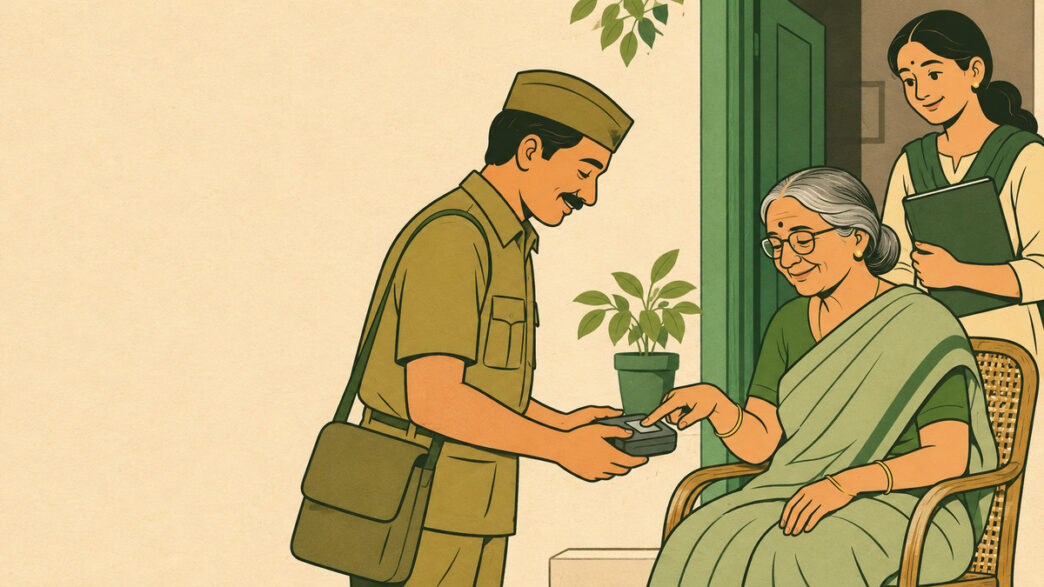
Taking a parent to submit a life certificate can turn a small administrative task into a morning of arranging transport, finding documents and waiting in a queue. If your parent finds that journey difficult, check whether the process can come to them instead. EPFO has partnered with India Post Payments Bank (IPPB) to provide free doorstep Digital Life Certificate services for eligible EPS pensioners. A postman or Grameen Dak Sevak can help complete the authentication at home.
The EPS doorstep programme is funded by EPFO, so pensioners covered by it should not pay for the service. Start by checking whether the certificate is overdue or due within the next 30 days. Then request the visit. After the certificate is generated, check its acceptance rather than putting the paperwork away at the first success message.
Step 1: How Do You Check Eligibility and Arrange a Visit?
Confirm that your parent receives a pension under the Employees’ Pension Scheme (EPS) administered by EPFO. Under the doorstep service circular and operating procedure, the certificate should already be due or become due within 30 days. Check the previous certificate and the due date recorded for their pension. Do not assume that every EPS pensioner has the same November deadline.
To request a home visit, call IPPB at 033-22029000, the number listed in EPFO’s circular. Explain that you are asking for the EPFO-funded free doorstep service for an EPS pensioner. Ask what information is needed and whether you can obtain a request reference. You can also ask your nearest post office how the service is arranged in your area.
You may notice that IPPB’s general Digital Life Certificate page mentions a ₹70 generation fee. That is distinct from the EPFO-funded EPS arrangement. If a fee is quoted, ask the post office or IPPB to confirm which service the request has been recorded under before proceeding. Do not assume that paying for the general service will automatically lead to reimbursement later.
Step 2: What Should You Prepare for the Postman’s Visit?
Keep your parent’s pension records together before the visit, especially if their bank account or contact details have changed. The postal representative will check that the name and date of birth on the Pension Payment Order (PPO) match Aadhaar and complete Aadhaar-based face or other biometric authentication. Your parent needs to be present for that authentication, although you can help organise the documents and read back the details. Preparing a small folder now can prevent a missing number from becoming another appointment.
- Aadhaar details: The pensioner’s name and Aadhaar number.
- Mobile phone: An accessible number for the submission and acknowledgement.
- PPO: The Pension Payment Order number and a copy of the pension order, if available.
- Pension-account details: Account number, bank and relevant pension-payment information.
- Previous certificate: Its Pramaan ID, date and any due-date or rejection message.
Before submission, check the PPO number, pension account and selected pension authority against the records. Pay attention to information carried forward from an earlier certificate, because a remembered detail can still be out of date. Ask the representative to confirm whether the submission completed successfully. Keep any service reference so that you can follow up if no acknowledgement arrives.
Step 3: How Do You Confirm That EPFO Has Accepted the Certificate?
After successful generation, save the SMS containing the Pramaan ID. Use that reference to access the certificate through the official Jeevan Pramaan pensioner login. Check that the certificate concerns the correct pensioner and review its processing status. Receiving a Pramaan ID confirms generation, not EPFO approval.
The Jeevan Pramaan guidance explains that a generated certificate remains subject to approval by the relevant pension authority. If the status is unclear, contact EPFO or the pension-disbursing agency with the Pramaan ID and PPO number. Ask whether the certificate has been accepted against the correct pension record. If pension payments were already held up, also ask what action remains before payment can resume.
What Should You Do if the Visit or Certificate Has a Problem?
Identify the stage where the process stopped before arranging another submission. A visit that could not be completed needs a different response from a certificate that was generated and then rejected. Keep the request reference, Pramaan ID and any error message together. This gives the next person helping you a clear starting point.
| Problem | What to Do Next |
|---|---|
| No visit has been confirmed | Follow up with the post office or IPPB, confirm the address and ask about local arrangements. |
| Authentication fails | Ask the postal representative about another supported authentication method or the next assisted route. |
| No Pramaan ID or SMS arrives | Ask whether generation completed and check the mobile number entered before repeating the process. |
| The certificate is rejected | Obtain the reason from EPFO or the pension-disbursing agency and check the relevant pension details. |
| The certificate is accepted but pension remains unpaid | Ask the agency whether another payment or record issue remains and retain the complaint reference. |
For a rejected submission, first establish which detail needs correction instead of generating the same certificate repeatedly. A wrong PPO number, outdated pension account or incorrect authority selection may need investigation. Our guide to checking and correcting a rejected Jeevan Pramaan explains the correction process. Keep the new reference alongside the old one if a replacement certificate is required.
Frequently Asked Questions
Must an EPS Pensioner Submit the Certificate in November?
No, November is not a universal submission deadline for EPS pensioners. EPFO permits submission during the year, with the certificate generally valid for one year from submission. Check your parent’s recorded due date instead of relying on reminders intended for another pension scheme. For the free doorstep programme, confirm that the certificate is overdue or due within 30 days.
Does My Parent Need an IPPB Account?
IPPB’s Digital Life Certificate service is available to IPPB and non-IPPB customers. Your parent’s pension can therefore be paid through another bank. Ask specifically about eligibility and arrangements under the free EPS programme. Keep the existing pension-account details ready for the submission.
Can I Complete the Life Certificate on My Parent’s Behalf?
You can help contact the post office, arrange the visit and prepare the pension records. The certificate still concerns your parent, who must complete the required authentication. Check their details separately from any information entered for the person assisting them. After submission, help them save the Pramaan ID and confirm acceptance.
What if the Doorstep Visit Cannot Be Arranged Before the Due Date?
Ask IPPB and the relevant EPFO office about another permitted submission route promptly. Depending on your parent’s circumstances, an assisted location or supported face-authentication method may be suitable. Do not treat an unconfirmed visit request as a completed life certificate. Keep following up until the submission and its acceptance are clear.
Last Updated on 17 minutes ago by PaisaSeekho Money & Economy Desk